Skip to content
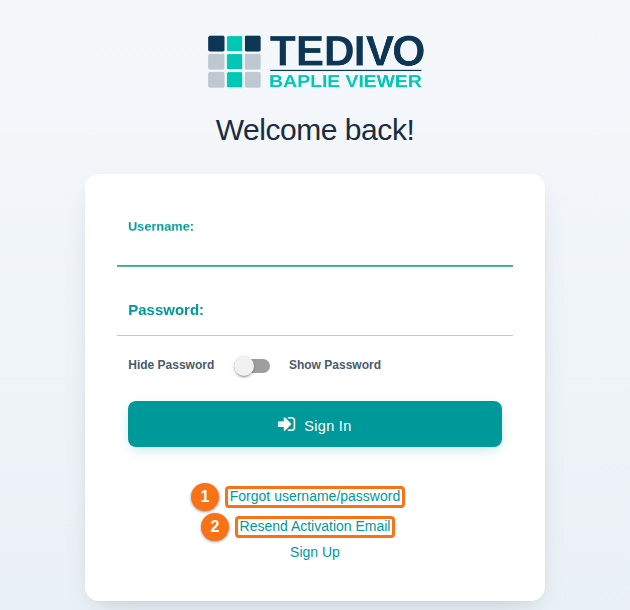
- The sign-in and account pages have a new, cleaner look: sign-in, sign-up, forgot password, resend activation and the choice of facility. The forms are easier to read on a phone, and the messages are easier to see. The links Forgot username/password (1 in the picture) and Resend Activation Email (2) are below Sign In.
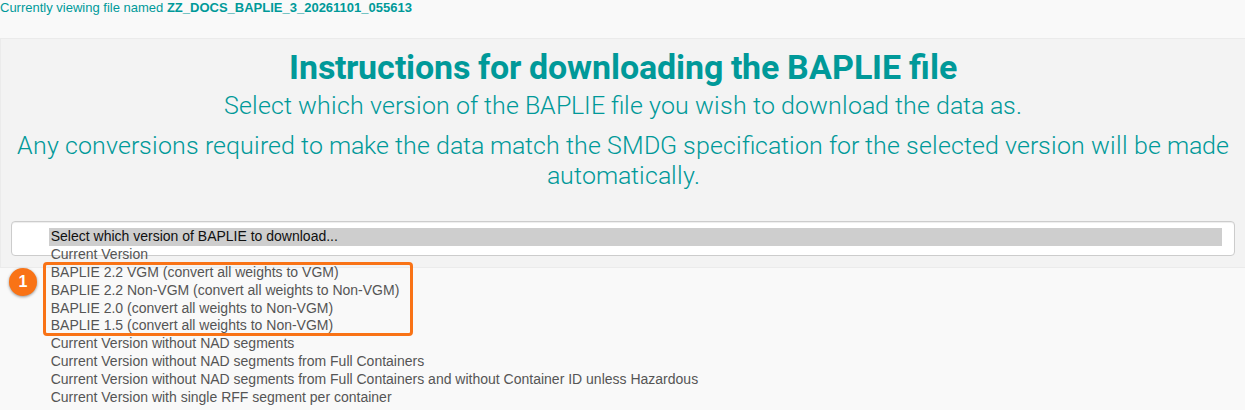
- Download BAPLIE of a BAPLIE 3.1 file as BAPLIE 2.2 (VGM or Non-VGM), BAPLIE 2.0 or BAPLIE 1.5 (1 in the picture) now gives a correct BAPLIE file of that version. It passes the validation checks when you upload it again. Before, the converted file failed validation with many errors. This fixes a problem reported after BAPLIE 3.1 support started in August. (How to navigate the Download BAPLIE option)
- On the Forgot Username or Password? page, a message now shows after you click Remind Me. On the Resend Activation page, a message now shows after you click Send Activation Email. Before, on some browsers, nothing seemed to happen. (The texts and the colour of these messages changed again in November 2026: see November 2026 Updates.)
- In Manage Facility, only Platinum facilities can now add a TEDIVO Vessel Designer (TVD) API key on the Vessel Designer tab. Other facilities see the message “TEDIVO Vessel Designer integration is available on Platinum accounts only. Please upgrade to Platinum to add a TVD API key.” Before, any facility could save a key, although the integration is a Platinum feature.

