

Does BAPLIE Viewer Online support Bundles?
Yes. The BAPLIE file specification supports bundles, and BAPLIE Viewer Online supports them too.
A bundle is a group of flat racks that are locked together. The bundle master is the regular container in the BAPLIE file. It is the flat rack at the very bottom of the bundle, and the other flat racks are locked to it. The bundle slaves are the attached equipment.
Find bundles
Section titled “Find bundles”- In the Function Menu on the left, open Visualization and click Main Content.
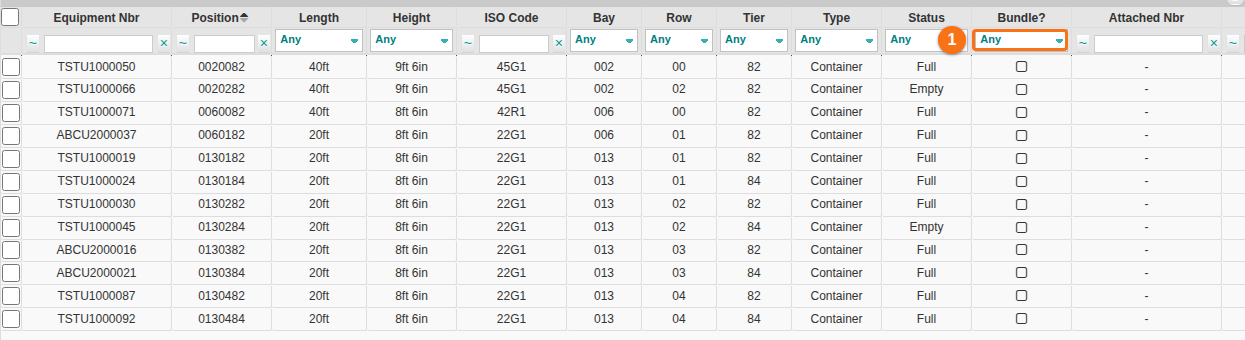
- In the Bundle? column, change the filter list from Any to Yes (1 in the picture). The table shows only the bundles.
Edit the attached equipment
Section titled “Edit the attached equipment”- On the Main Content screen, tick the records you want to change. Click Edit Records in the Function Menu.
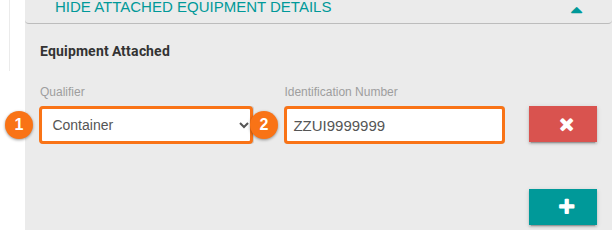
- In the window, open Show Attached Equipment Details on the right. The section has the Qualifier (1 in the picture) and the Identification Number (2 in the picture) of the attached equipment. The + button adds one more.
- Click Edit Single Row (one record) or Edit Multiple Rows (many records) at the bottom of the window.
For more about the edit window, see How to edit one or more records.