

How do I contact support?
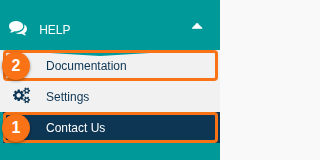
You can reach us in four ways. For a support ticket, see How to contact support and create a support ticket.
Live Chat
Section titled “Live Chat”In business hours, you see a small circle at the bottom right of your screen. Click it. A member of our support team helps you in real time. You can also leave a message. We answer in the chat or by email.
Customer Portal
Section titled “Customer Portal”Use the portal to report a technical problem, suggest an improvement, ask for a demo or ask a question: https://tedivo.com/contact/
YouTube
Section titled “YouTube”Find video tutorials here: https://www.youtube.com/@baplieviewer/videos
Documentation
Section titled “Documentation”Read the How to Guides, the FAQs and the software updates here: https://docs.baplieviewer.com/