2022-09-01
New Features
-
You can now send the most recent open invoice by email. Send the PDF invoice to your accounting team, so that they can check it and pay it. See How to view payments, send an invoice copy and add a customer reference.
-
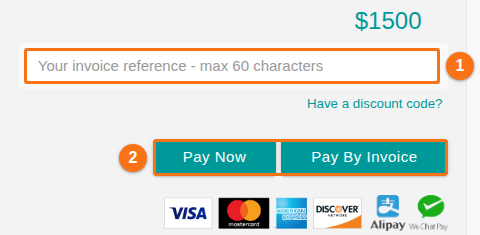
To make an invoice, check your order and click Pay By Invoice (2 in the picture). You can first type your own reference in the invoice reference box (1 in the picture).
-
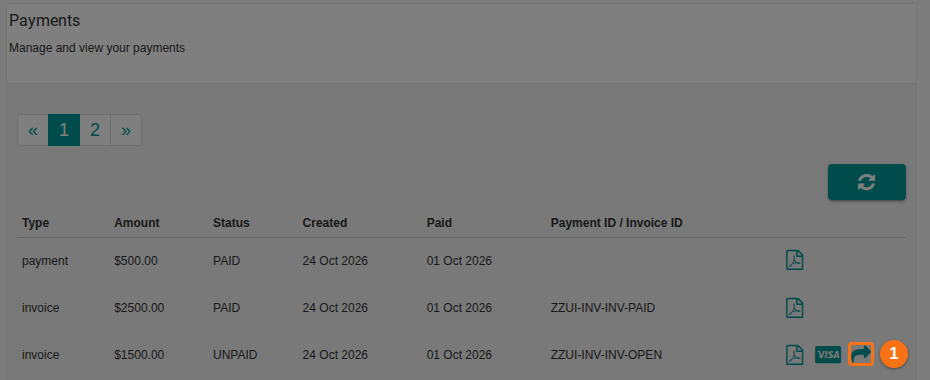
In Manage Facility, click Membership. The Payments section lists all payments and open invoices. After you make an invoice, an icon appears at the right of its row. Today this is the arrow icon, Email PDF Invoice (1 in the picture). Before, it was a Send Copy button.
-
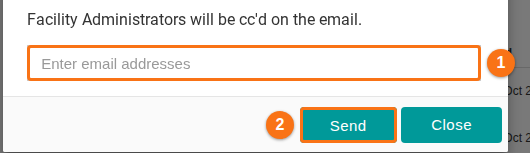
Click the icon. Type one or more email addresses in the box (1 in the picture) and click Send (2 in the picture). The Facility Administrators receive a copy of the email. The address that you enter is also added to the PDF invoice that is sent.
-
-
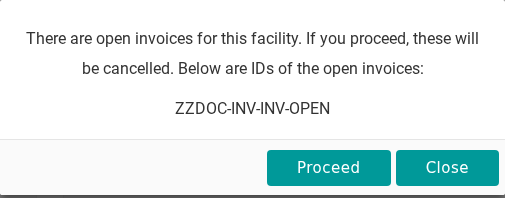
When you click Pay Now or Pay By Invoice, the system now checks if an open invoice exists. If it does, a window tells you that the open invoice will be cancelled if you click Proceed.