

2020-12-03
New Features
- You can now disable the automatic saving and applying of filters in the Main Content. (How to change the facility settings for filters, VGM and Excel exports)
- To disable this feature, your Facility Administrator needs to perform the following actions
- Login and Click Manage Facility
- Click Facility Settings
- Toggle to No the setting “Save and apply filters in main content”
- To disable this feature, your Facility Administrator needs to perform the following actions
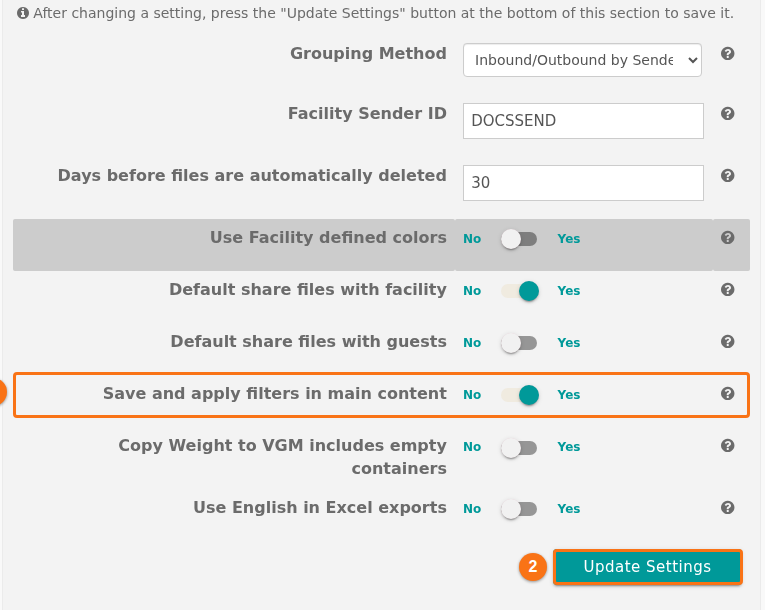 4. Click Update Settings
- Once disabled, filters that are created will no longer be reused automatically the next time any user of the facility opens a BAPLIE file for viewing