

2022-08-22
Bug Fixes
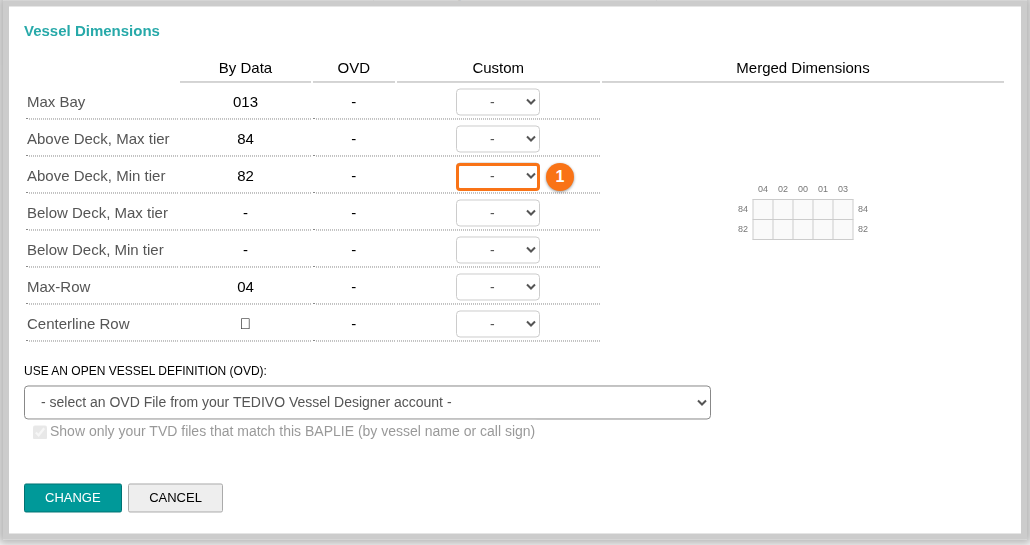
- Fixed a problem in the 2D View. You uploaded BAPLIE data with no valid positions on the vessel. The window for the vessel dimensions did not let you change Above Deck, Min tier from 68. The problem is fixed, and the default value is now 80. Today you find this window in the 2D Bay View: in the Mode list choose Dimensions, then click Change Vessel Dimensions & OVDs. The picture shows the window (1 in the picture is Above Deck, Min tier). See How to change the vessel dimensions.
New Features
- You can now add a customer reference number to an invoice request. Use it for a number such as your purchase order number. Your finance team can then process the invoice more easily. Today you can also add or change the reference of an unpaid invoice with the pencil icon in the Payments table. See How to view payments, send an invoice copy and add a customer reference.