

Can I receive an invoice for my membership purchase?
Yes. When you buy a Gold or Platinum membership for 1 year or longer, you can click Pay By Invoice. The invoice shows two ways to pay: with a card, or with an international bank transfer.
When you create an account, you have the Free Trial membership for 30 days. To buy Gold or Platinum, follow these steps.
- In the Function Menu, click Manage Facility under the name of your facility (1 in the picture). Then click Membership (2 in the picture).
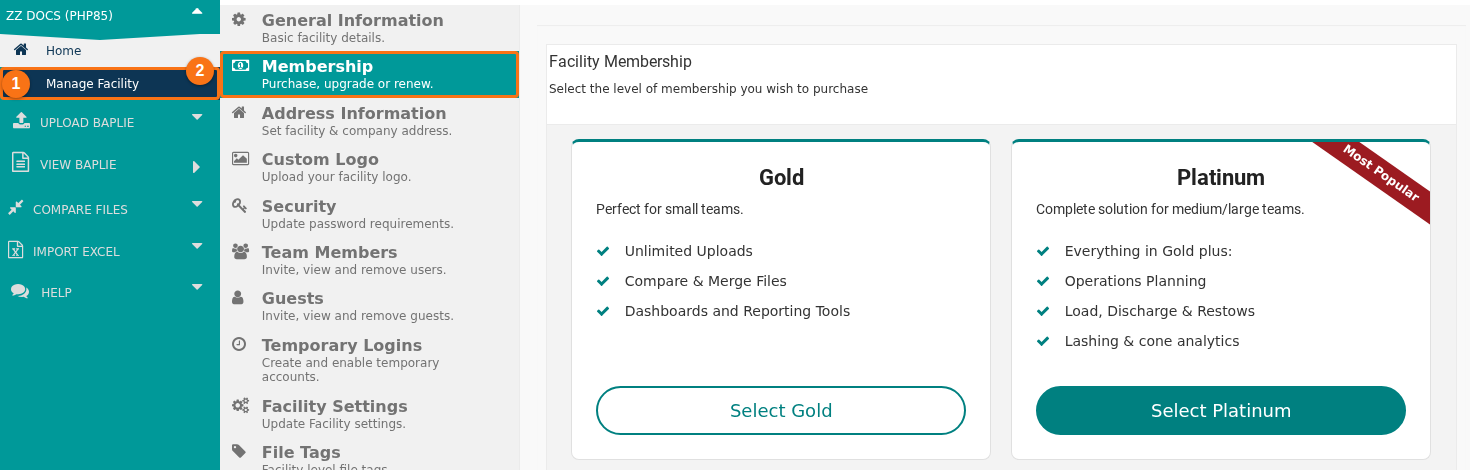
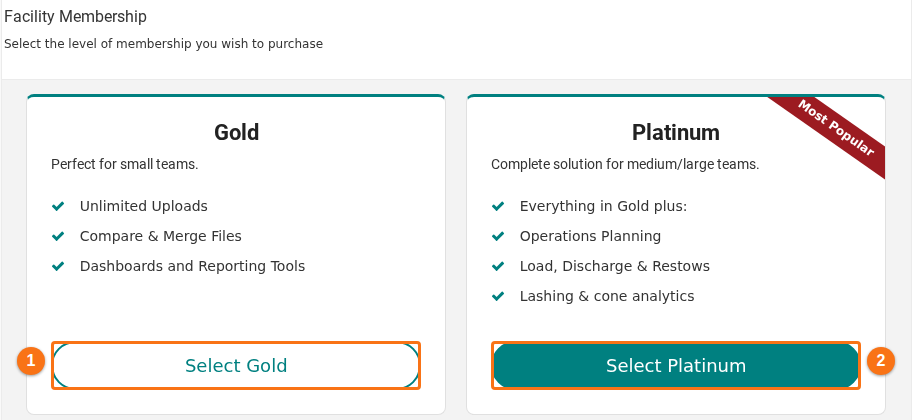
- Choose a plan. Click Select Gold (1 in the picture) or Select Platinum (2 in the picture).
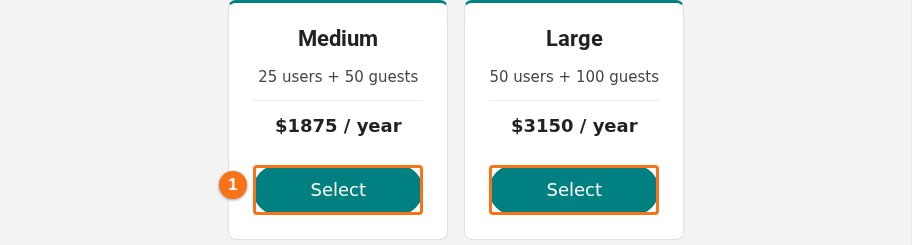
- Choose a tier. A tier is the number of users and guests that your facility needs. Click Select (1 in the picture) under the tier that you want.
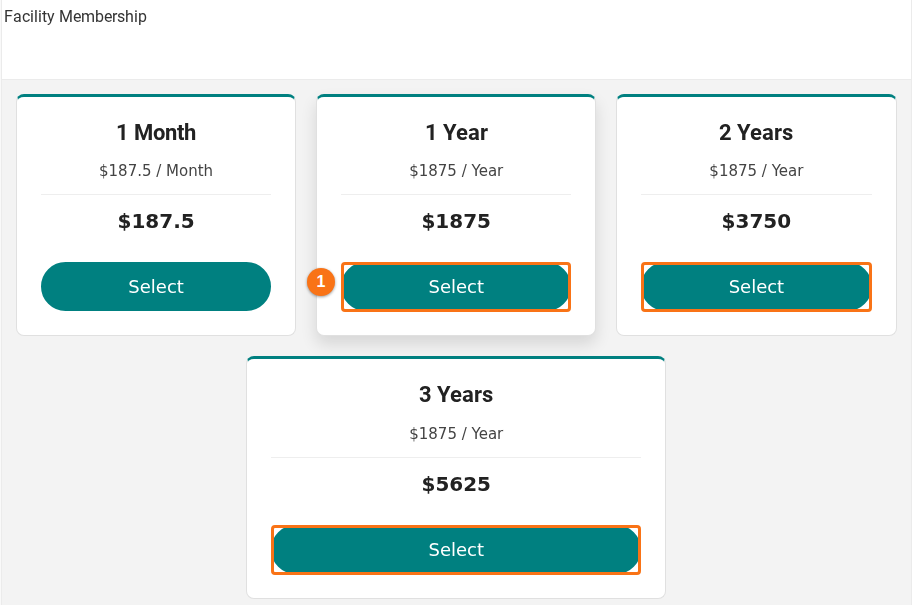
- Choose how long the membership runs. For an invoice, click Select under 1 Year, 2 Years or 3 Years (1 in the picture). The button Pay By Invoice does not show for 1 Month.
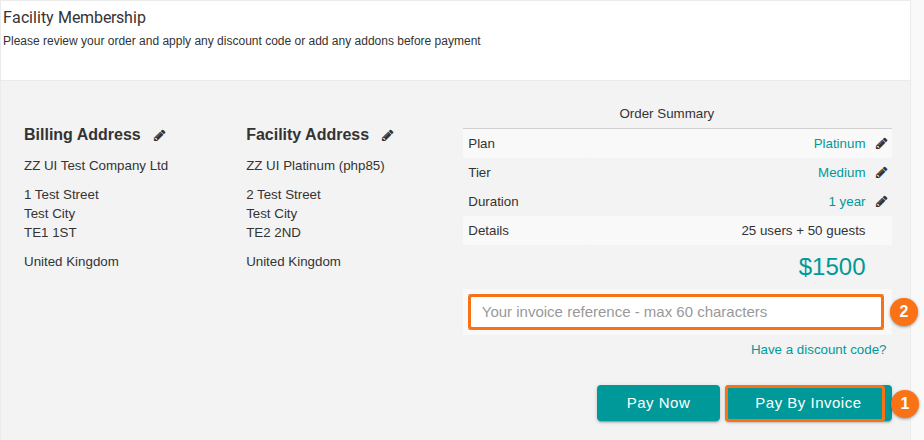
- Check your order on the order summary page. It shows the Plan, Tier, Duration, Details and the price. You can type your own reference for the invoice, for example your purchase order number (2 in the picture). The box takes up to 60 characters. Then click Pay By Invoice (1 in the picture). To pay by card at once, click Pay Now instead.
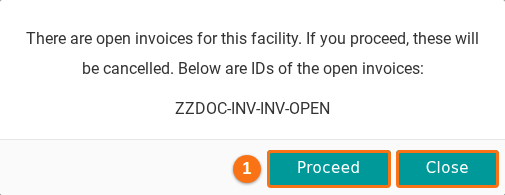
- If your facility already has open invoices, a window opens. It says that the open invoices will be cancelled if you continue, and it lists their numbers. Click Proceed (1 in the picture) to make the new invoice. Click Close to keep the open invoices.
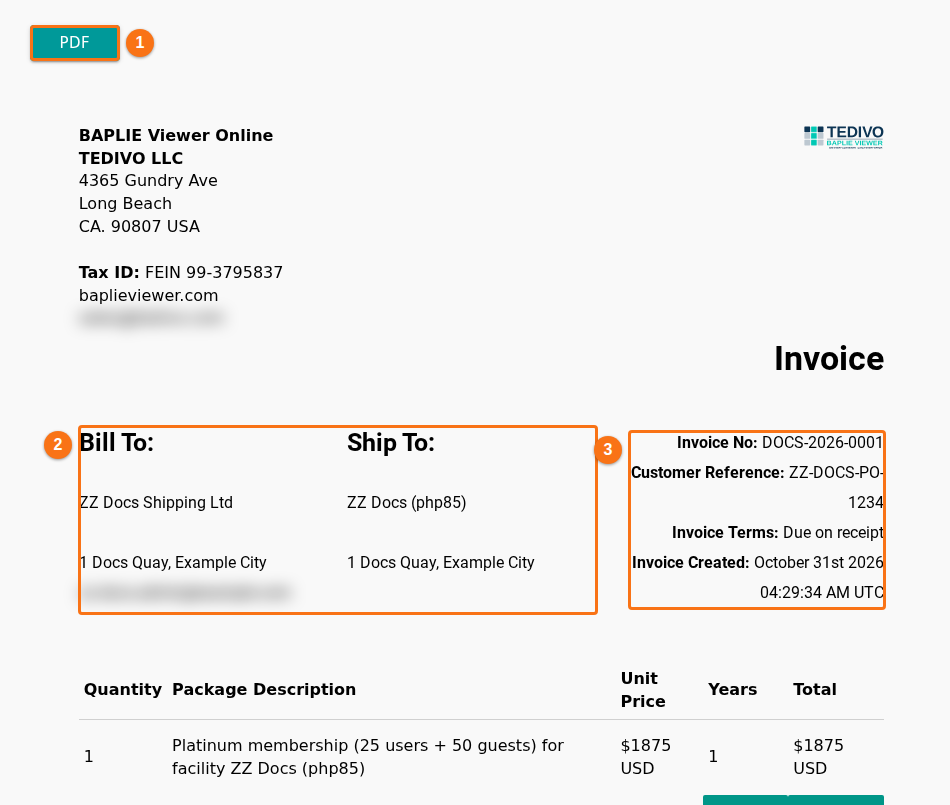
- The invoice shows on the page. To get a PDF copy, click PDF at the top of the invoice (1 in the picture). The invoice has Bill To and Ship To (2 in the picture). It also has Invoice No, Customer Reference, Invoice Terms and Invoice Created (3 in the picture). Below them are the lines of your order and the Grand Total.
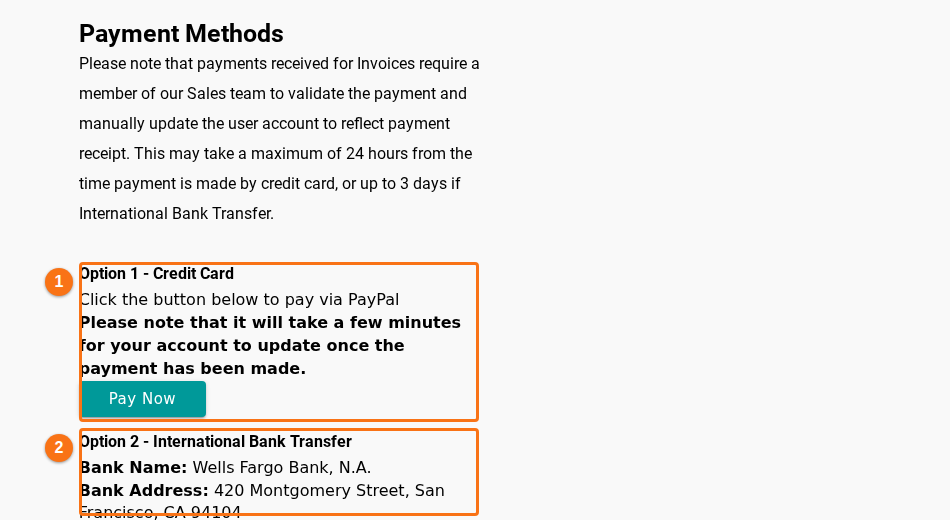
- Scroll down to Payment Methods. Pay the invoice in one of two ways.
- Option 1 - Credit Card (1 in the picture): click Pay Now. The window Select A Payment Option opens. Follow the steps in How to purchase a membership using a Credit Card.
- Option 2 - International Bank Transfer (2 in the picture): send the money with the bank details on the invoice. They are the bank name, the bank address, the account name, the account number, the routing numbers and the SWIFT/BIC number.
Note: a member of our Sales team checks each invoice payment and updates your account. This can take up to 24 hours after a card payment and up to 3 days after a bank transfer.
See your invoices later
Section titled “See your invoices later”- Open Manage Facility and click Membership again.
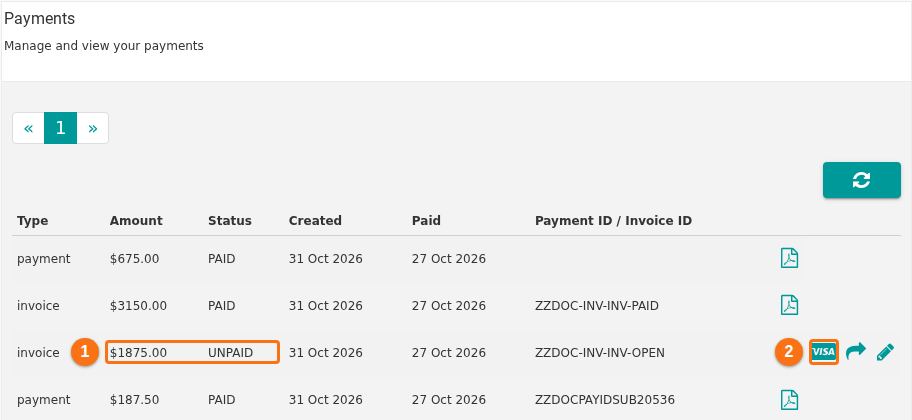
- Scroll down to the Payments table. Each invoice has a Status: PAID or UNPAID (1 in the picture).
- An invoice that is not paid yet has a card icon (2 in the picture). Click it to pay the invoice.
To get a PDF, send a copy by email, or change the customer reference of an invoice, see How to view payments, send an invoice copy and add a customer reference.
Good to know
Section titled “Good to know”- A payment company handles your card details. We do not collect them on this website.