

Why is the Hatch Covers choice missing in the Deck view?
The choice Hatch Covers shows only when your file is linked to a real Open Vessel Definition (OVD), a vessel drawing from TEDIVO Vessel Designer. An OVD that the application makes from the container positions does not count. Without a real OVD, the choice above the drawing is only Deck and Hold, as in the picture.
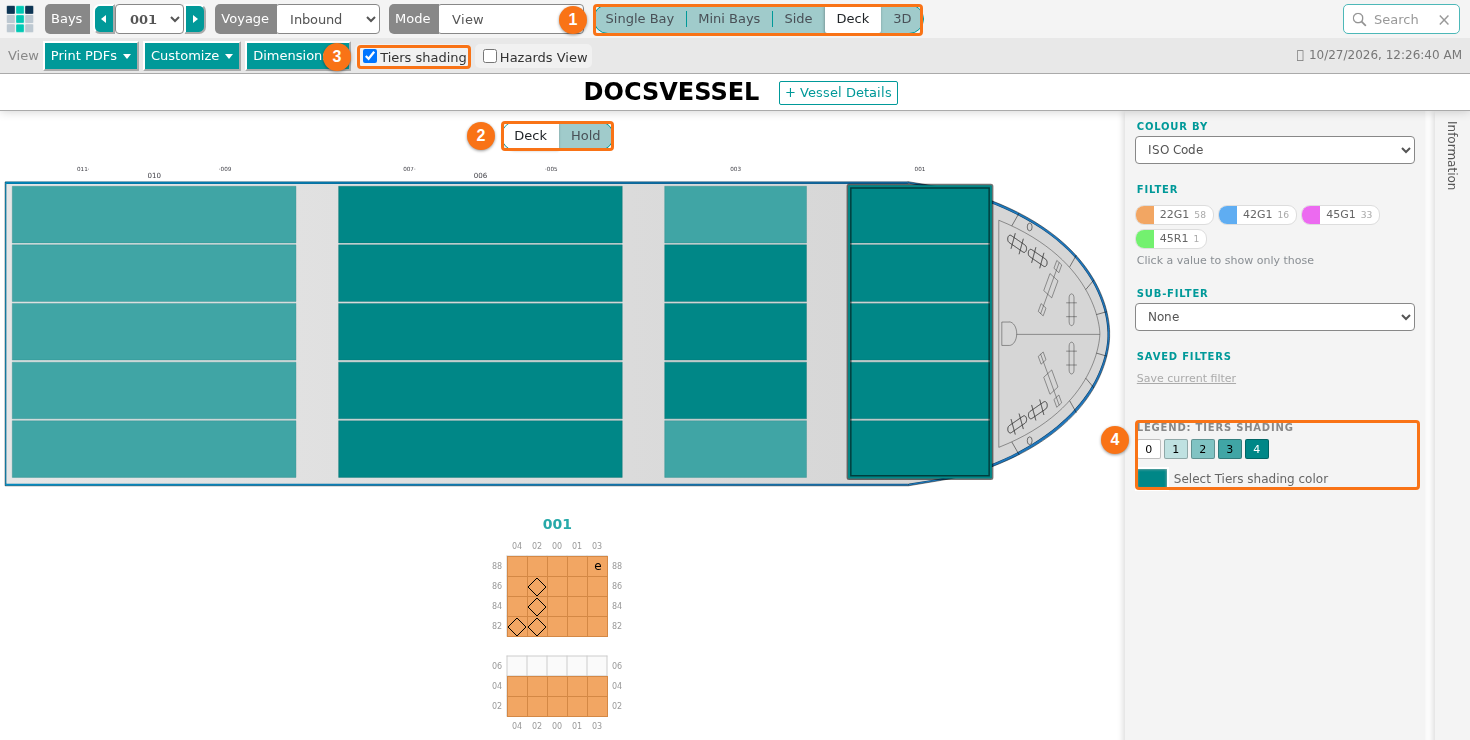
How to get the Hatch Covers choice
Section titled “How to get the Hatch Covers choice”Before you start: to use an OVD, you need a TVD API key. See How to link your facility to TEDIVO Vessel Designer.
- In the Function Menu on the left, open Visualization and click 2D Bay View.
- Check that Mode in the top bar is View.
- In the bar View, open the Dimensions list. Click Change Vessel Dimensions & OVDs.
- In the Vessel Dimensions window, open the list Use an Open Vessel Definition (OVD) and choose a definition. Click CHANGE.
- In the view control, click Deck. Above the drawing, click Hatch Covers.
Good to know
Section titled “Good to know”- The Deck view works without an OVD. You can still use Deck, Hold and Tiers shading.
- Hatch Covers shows the hatch covers and the full size of the holds, in grey. It does not show cargo.
- If you remove the OVD while Hatch Covers is open, the view goes back to Deck.
For the steps to link an OVD, see How to change the vessel dimensions. For the view, see How to use the Deck view.