

Does BAPLIE Viewer Online support Special Stow fields?
Yes. The BAPLIE specification supports handling instructions (special stow), and BAPLIE Viewer Online shows them in the Free Text column.
In example BAPLIE files, a handling instruction looks like this: FTX+HAN+++AB'. BAPLIE Viewer Online shows this in the Free Text column.
- Log in to BAPLIE Viewer Online and upload a BAPLIE file. See How to upload a BAPLIE file.
- In the Function Menu on the left, open Visualization and click Main Content.
- When the data has loaded, look for the Free Text column in the table.
- If you cannot see the column, click Show/Hide Columns in the Function Menu. The Select columns window opens. In the list on the right, click the + icon next to Free Text (1 in the picture). Then click Ok (2 in the picture).
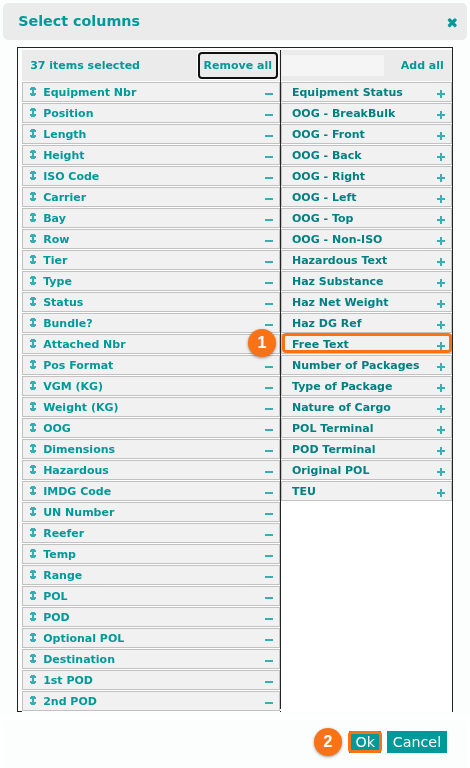
- Sort or search the Free Text column to find the special stow details.
To learn more about the columns, see How to add and remove columns from the table view.