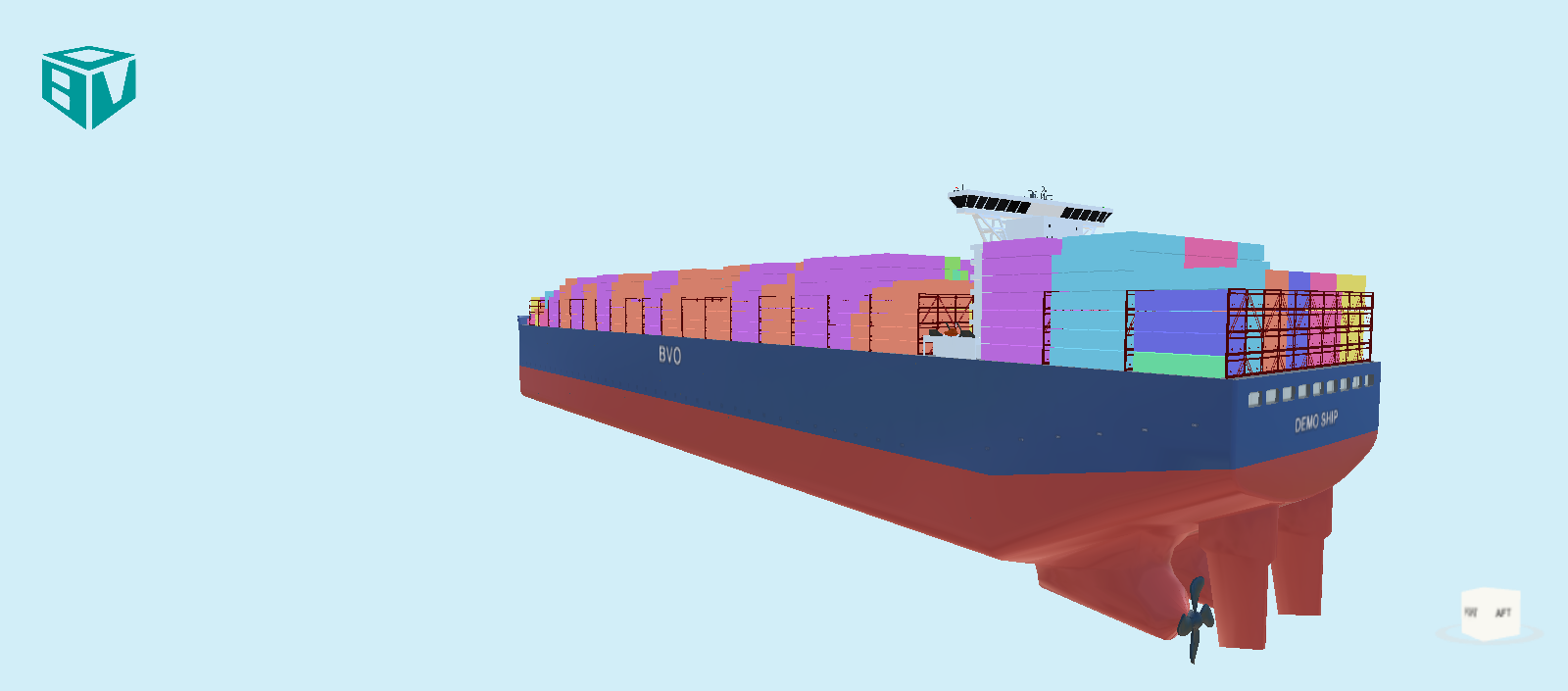
How do you change the text on the hull in the 3D View?
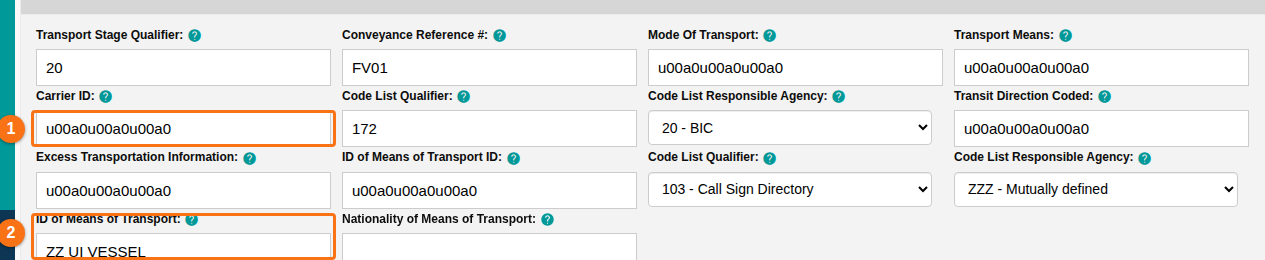
Change the fields ID of Means of Transport and Carrier ID in Header Details.
Sometimes the text on the outer part of the hull in the 3D view is wrong. The cause is an old (incorrect) standard for the TDT segment. It was valid for BAPLIE version 1.5, but it changed for BAPLIE versions 2.0 and 2.2.
- Log in to BAPLIE Viewer Online and open the file you want to change.
- In the Function Menu, open Validation and click Header Details.
- Find the Details of Transport segment and open it to show the individual fields.
- To change the ship name on the back (stern) of the ship, change ID of Means of Transport (2 in the picture).
- To change the carrier name on the side of the ship, change Carrier ID (1 in the picture).
- In the Function Menu, click Save Changes to apply the changes.