

Can I add increase the number of bays of the vessel to load containers?
Yes. You can change the size of the vessel in 2D Bay View. Then you can load containers into the new bays.
When you open 2D Bay View, BAPLIE Viewer Online reads the data in your file. It finds which bays, rows and tiers the vessel needs. If your file is incomplete and you need more bays or tiers, you can change the size.
- In the Function Menu on the left, open Visualization and click 2D Bay View.
- Check that Mode in the top bar is View. In the bar View, open the Dimensions list.
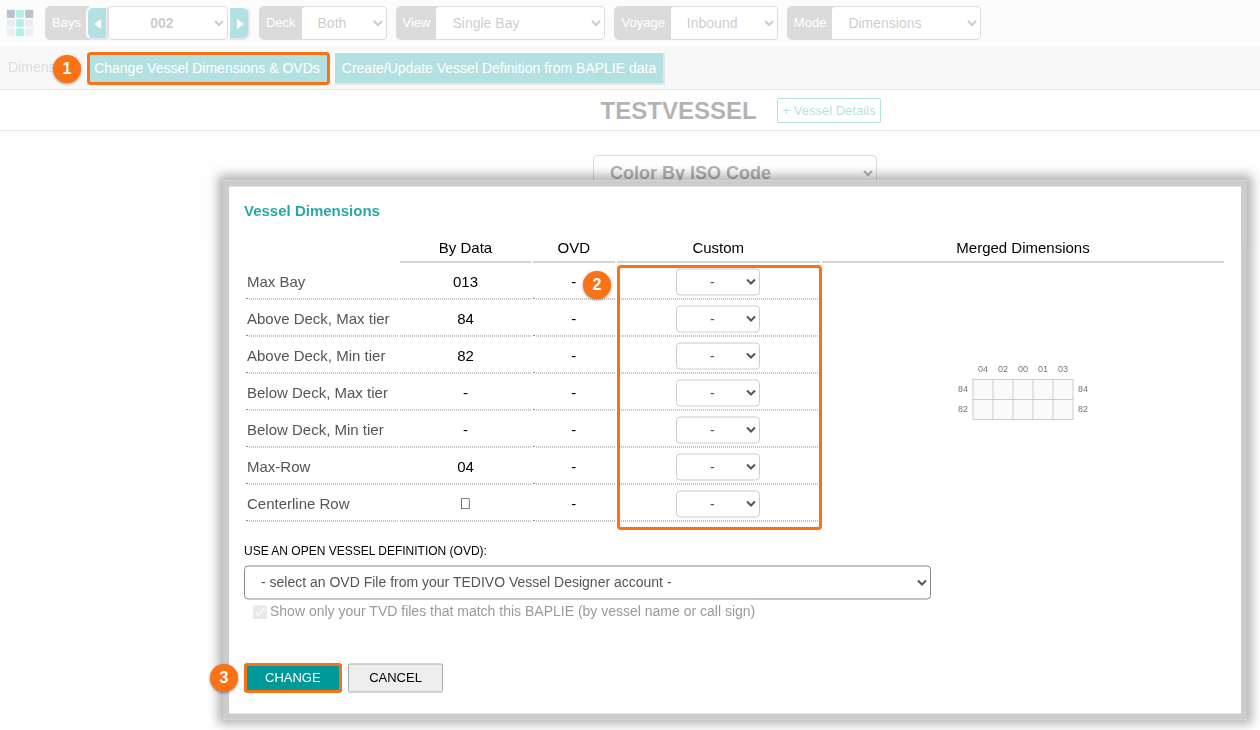
- Click Change Vessel Dimensions & OVDs. The Vessel Dimensions window opens.
- In the Custom column, choose the new values. Then click CHANGE.
- Load containers into the new bays. Use Move mode: choose Move in the Mode list, click Load New, and add the containers by hand or from another file. Move mode needs the Vessel Operations add-on for your facility and Admin or Edit permission.
For the details of each step, see How to change the vessel dimensions and How to use the Move Containers feature in 2D Bay View.