

2022-11-27
New Features
Fixing files with a missing end of segment apostrophe
Section titled “Fixing files with a missing end of segment apostrophe”- When BAPLIE Viewer Online checks the structure of a BAPLIE file during upload, it now finds missing end of segment apostrophes (’). (How to fix missing segments)
-
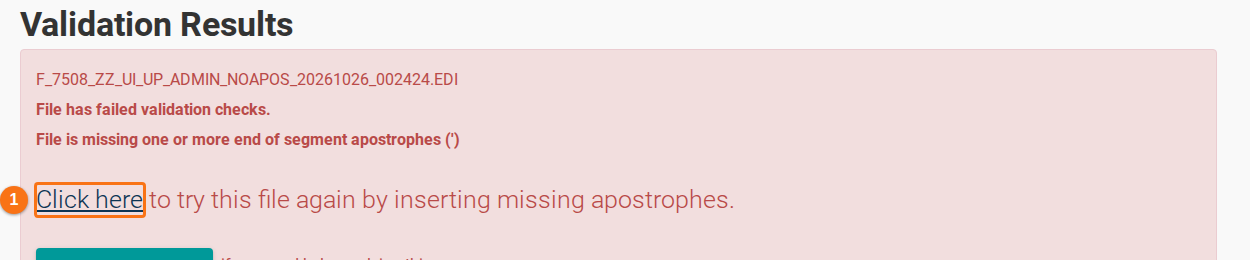
If apostrophes are missing, the Validation Results page shows an error. Click Click here (1 in the picture) to try the file again.
-
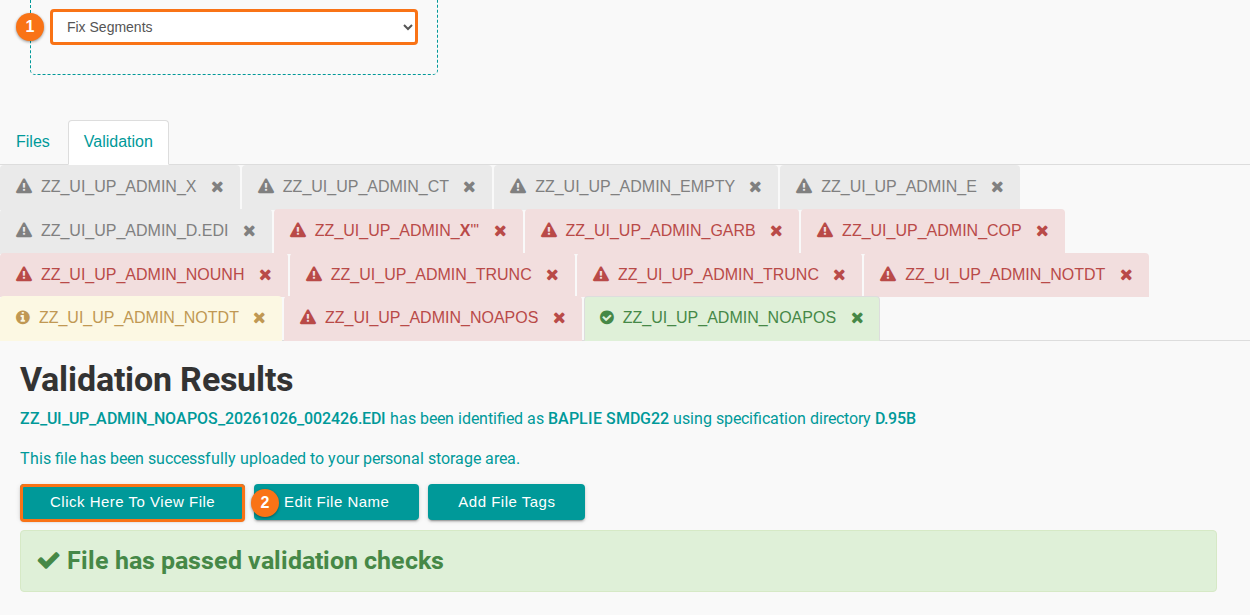
The link uploads the file again with the upload option Fix Segments (1 in the picture). At the time of this release, this option was named Insert Missing Segments. BAPLIE Viewer Online adds the missing apostrophes and shows the result on the Validation Results page. Click Click Here To View File (2 in the picture) to open the file.
-
Open Anomalies to check for data problems that you may need to correct. Then you can download the corrected BAPLIE file and use it in other software.
-