

Why can't I use Edit, Multi-Lift, Move or 3D in the 2D view?
Your account does not have the membership, the add-on or the permission that the feature needs. These features are not open to every account.
| Feature | What you need |
|---|---|
| Edit mode, Multi-Lift mode and the 3D view | A membership that includes them (Gold or Platinum; Silver does not) and Admin or Edit permission |
| Move mode | The Vessel Operations add-on for your facility and Admin or Edit permission |
Guest accounts have View Only permission, so they cannot use these features. An expired account cannot use them either.
What you see
Section titled “What you see”- The view control shows four choices. 3D is missing.
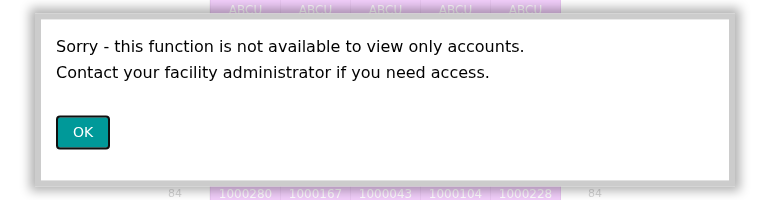
- You choose Edit, Multi-Lift or Move in the Mode list, and a window tells you that the function is not available. A View Only user sees: “Sorry - this function is not available to view only accounts. Contact your facility administrator if you need access.”
When you can use a mode, its bar shows below the top bar. The picture shows the bar of Move mode.

Find the cause
Section titled “Find the cause”Ask your Facility Administrator to do these steps.
- In the Function Menu on the left, click Manage Facility, then General Information.
- Read Membership Type. For Move mode, check that Vessel Operations Enabled shows Yes.
- Click Team Members. In the list Managing your team, find your name. Your permission must be Admin or View & Edit, not View Only.
If your membership is Silver, upgrade it to use Edit, Multi-Lift and 3D. To add Vessel Operations, contact Support.
For more details, see: