

Can I delete my account?
Yes. You can delete your own account on baplieviewer.com.
Warning: you cannot undo this. Delete your account only if you are sure that you never want to use BAPLIE Viewer Online again.
- Log in to your account on baplieviewer.com.
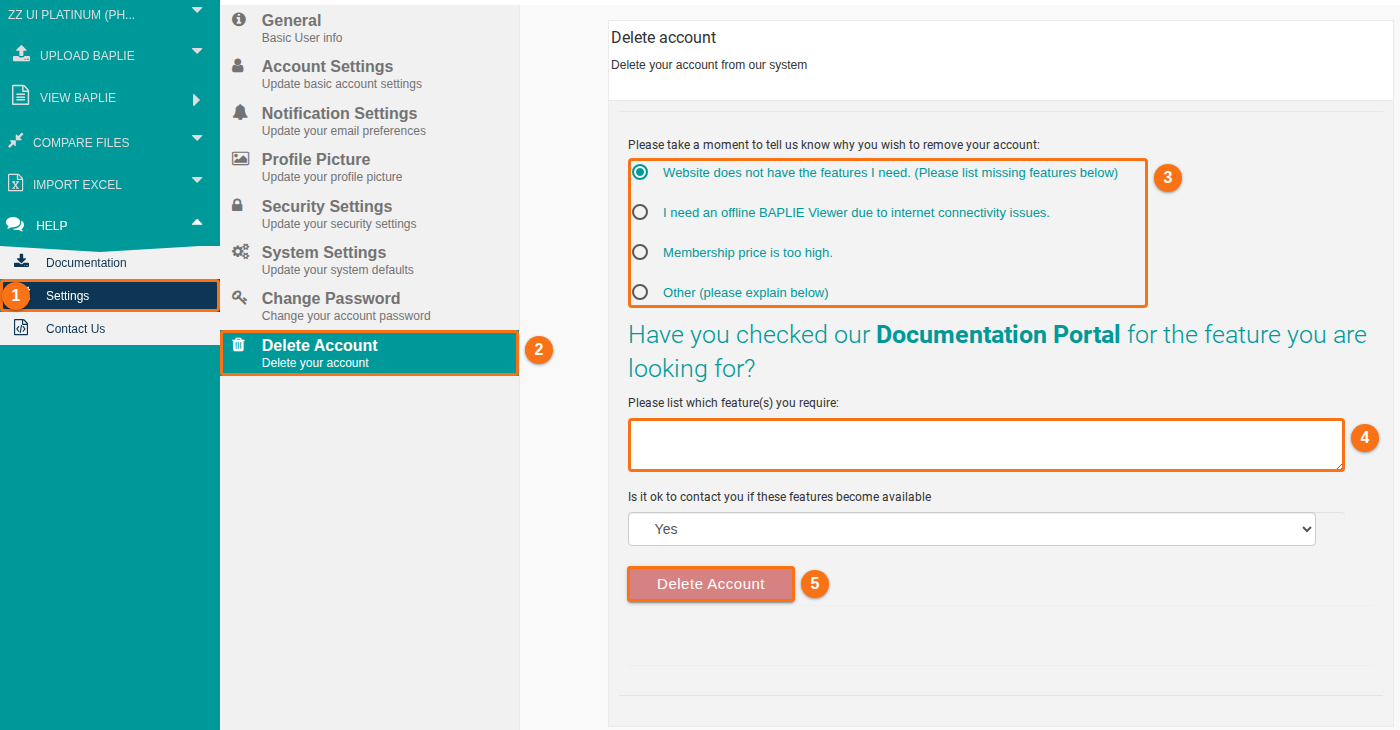
- In the Function Menu on the left, click Help. Then click Settings (1 in the picture).
- In the Settings menu, click Delete Account (2 in the picture). It is the last tab.
- Choose one reason (3 in the picture). The list has these reasons:
- Website does not have the features I need. (Please list missing features below)
- I need an offline BAPLIE Viewer due to internet connectivity issues.
- Membership price is too high.
- Other (please explain below)
- Answer the question that the page shows below the reason:
- For the reasons about missing features, offline use and Other, write your answer in the text box (4 in the picture). The box must not be empty. The page also asks if we may contact you. Choose Yes or No.
- For Membership price is too high., the page asks if you want to talk about company rates with the person who buys software for your company. If you choose Yes, enter a contact email address.
- Click Delete Account (5 in the picture). If you did not choose a reason, or a required box is empty, a message tells you what is missing.
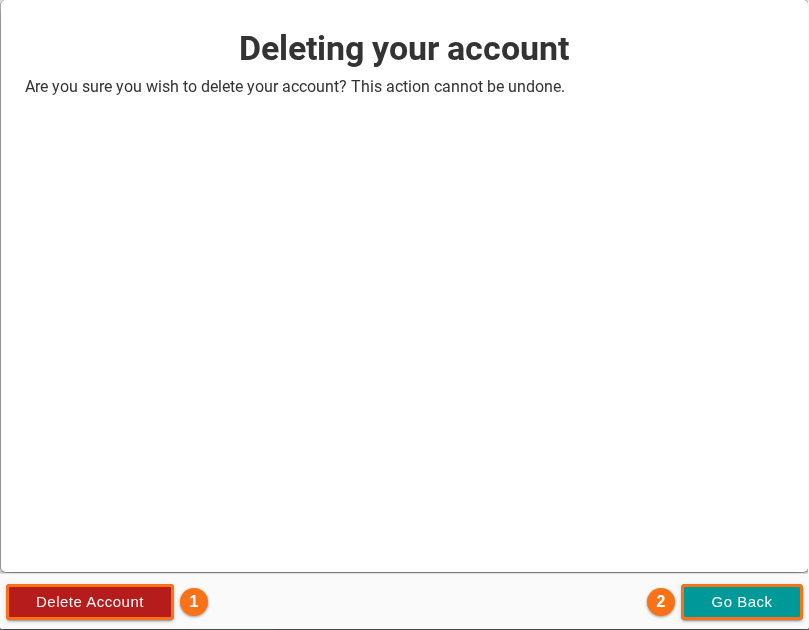
- The window Deleting your account opens. It asks: “Are you sure you wish to delete your account? This action cannot be undone.” Click Delete Account (1 in the picture) to delete your account. Click Go Back (2 in the picture) to keep it.
After the deletion, the application logs you out.