Does BAPLIE Viewer Online support Terminal Codes?
Yes. BAPLIE Viewer Online fully supports this secondary attribute of the BAPLIE 2.2 specification.
The BAPLIE specification makes the terminal code optional. BAPLIE Viewer Online links it from the Port of Discharge and Port of Load segments for you. You see it as POD Terminal and POL Terminal.
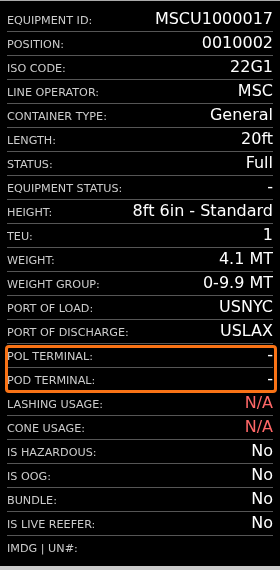
You find these attributes in the Main Content, 2D and 3D views when the file has the data. A dash (-) means that the container has no terminal code.
Main Content view
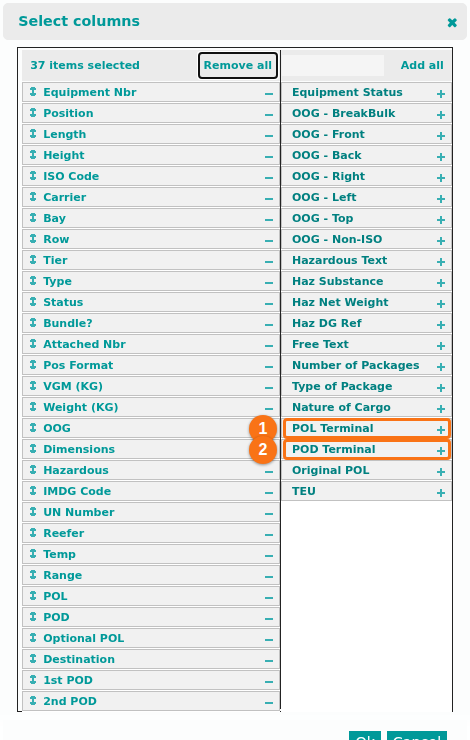
Section titled “Main Content view”- In the Function Menu, click Main Content. Then click Show/Hide Columns.
- In the Select columns window, click the + icon next to POL Terminal (1 in the picture) and POD Terminal (2 in the picture). Click Ok.
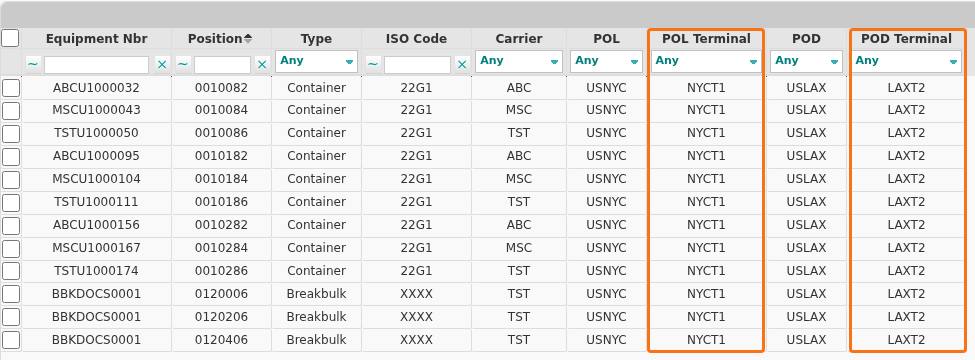
The columns then show in the table, like this. The orange boxes mark POL Terminal and POD Terminal.
2D view
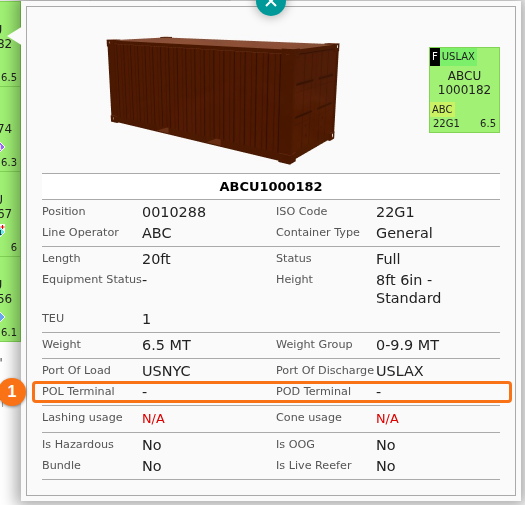
Section titled “2D view”Click a container. The information window shows POL Terminal and POD Terminal (1 in the picture).
3D view
Section titled “3D view”Point to a container. The panel on the right shows POL Terminal and POD Terminal (1 in the picture).