2023-04-01
New Features
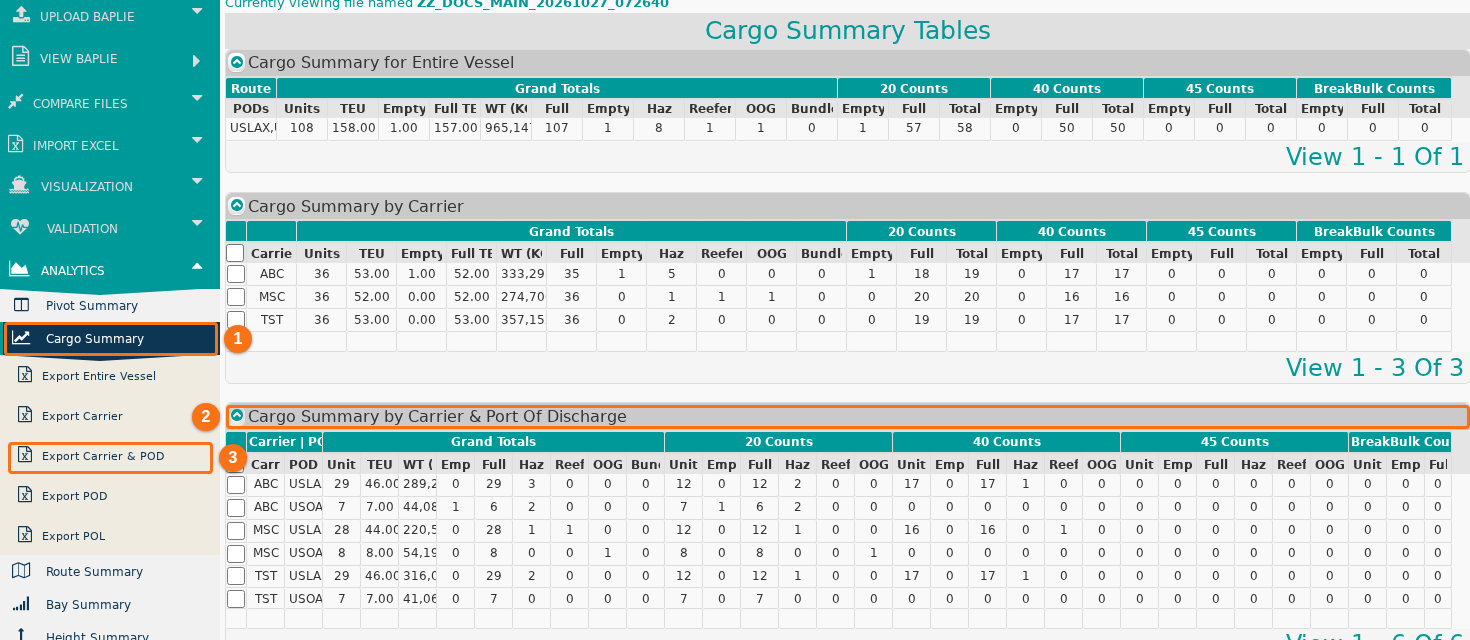
- Added a new report, Cargo Summary. It summarizes the BAPLIE data by carrier (line) and by POD (port of discharge). This gives a different grouping of the cargo, as some customers asked. (How to navigate the Cargo Summary)
To open this report:
- Upload a BAPLIE file and open it.
- In the Function Menu, open Analytics and click Cargo Summary (1 in the picture).
- Open the third section, Cargo Summary by Carrier & Port Of Discharge (2 in the picture).
To export this report to Excel, click Export Carrier & POD (3 in the picture) in the side menu.