

What is Equipment Status, and where can I see and change it?
Equipment Status is a field of the BAPLIE 2.x format. It tells what happens to a container, for example Export, Import, Transshipment or Remain on board. The file stores it in the EQD segment, element 8249. You can see it and change it in Main Content, and you can change it in the container edit form of 2D Bay View.
Before you start: open your file. To change a status, you need permission to edit the file. Gold members can edit.
See it in the table
Section titled “See it in the table”The Equipment Status column is hidden at first.
- In the Function Menu on the left, open Visualization and click Main Content.
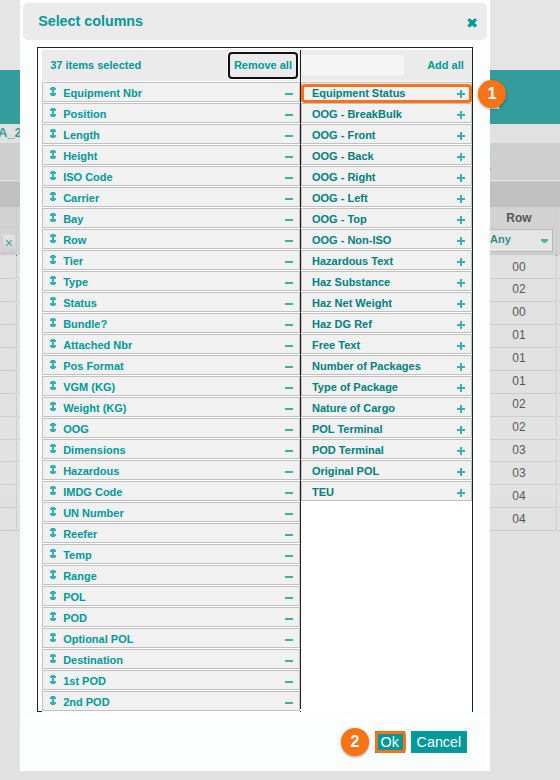
- In the Function Menu, click Show/Hide Columns. The Select columns window opens.
- In the list on the right, click the + icon next to Equipment Status (1 in the picture).
- Click Ok (2 in the picture).
A container that has no status shows -. To show only some statuses, open the filter list under the column name and choose one or more values.
Change it
Section titled “Change it”- On the Main Content screen, tick the check box at the left of the container.
- In the Function Menu, click Edit Records. The Edit Single Row window opens.
- In the Equipment Status list (1 in the picture), choose the new status. To clear it, choose –Equipment Status–.
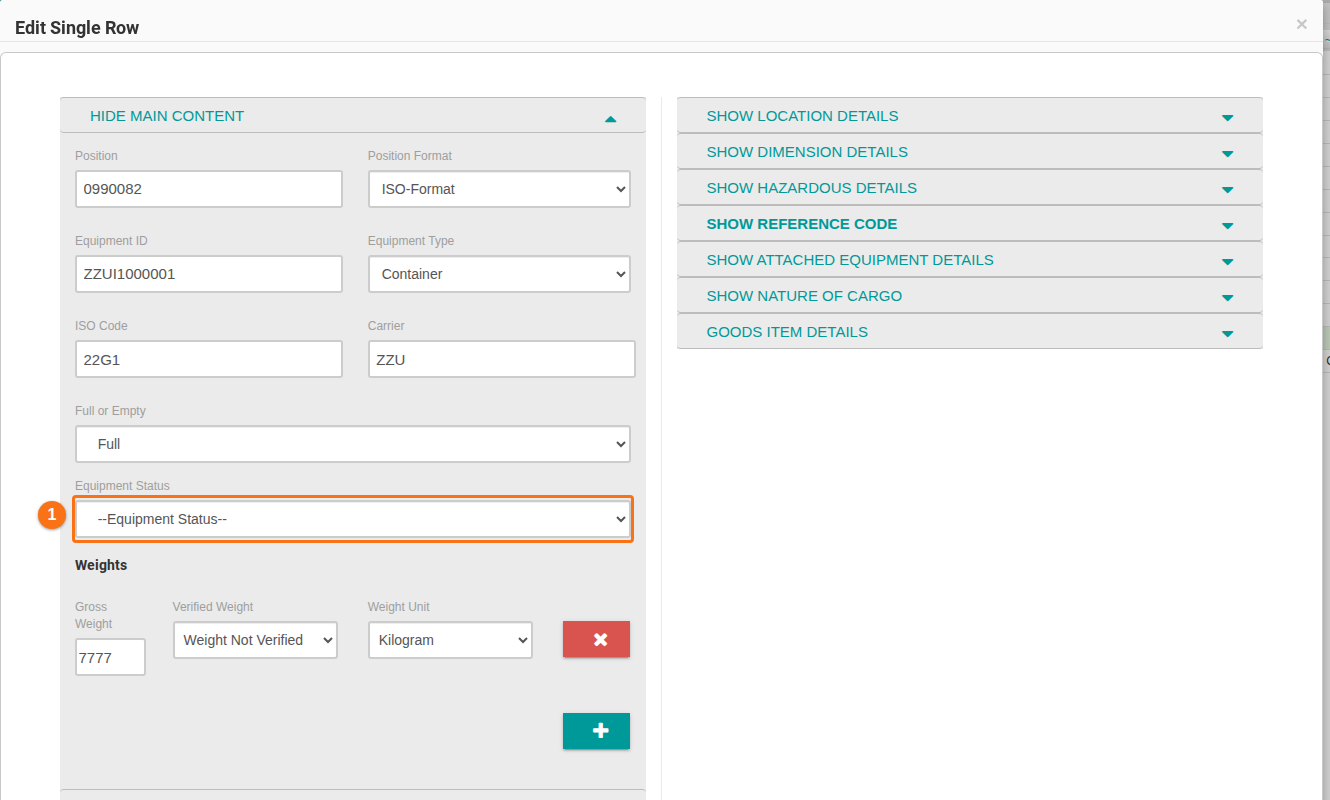
- Click Edit Single Row at the bottom of the window.
To change many containers, tick each one. In the Editing Multiple Rows window, tick the check box next to Equipment Status first. Then choose the status and click Edit Multiple Rows.
Good to know
Section titled “Good to know”- The list has 20 statuses.
- A BAPLIE 1.5 file cannot carry the status. A window warns you when you download as BAPLIE 1.5.
- The SMDG BAPLIE 3 format does not use it. The Anomalies page lists a status in a BAPLIE 3 file.
For all steps and the list of statuses, see How to view, filter and edit Equipment Status.