Skip to content
- You can now give your uploaded files tags: short labels with a colour, for example Import or Priority. Tags help you sort and find your files. (How to use File Tags)
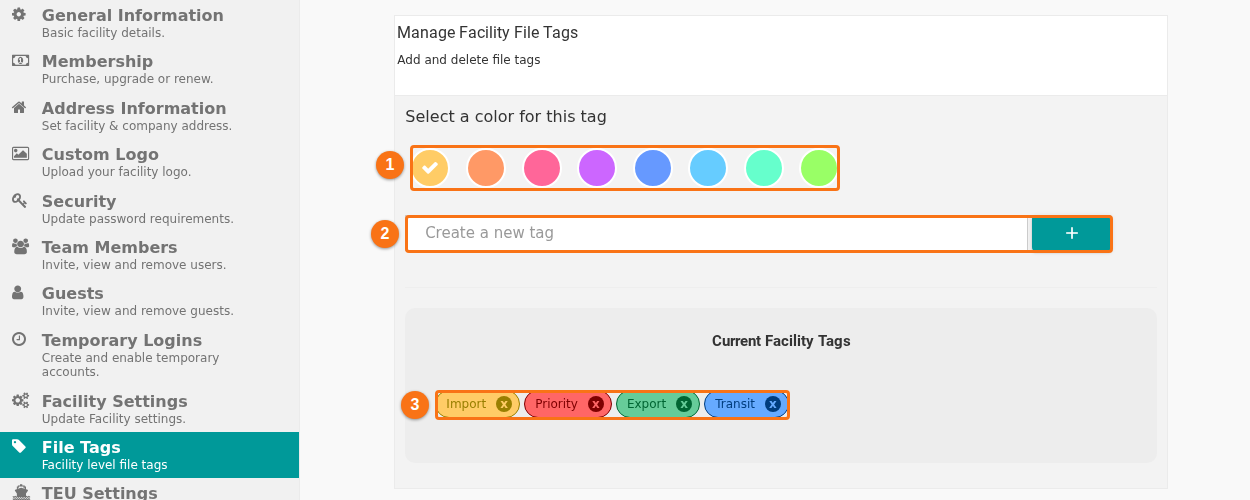
- Facility administrators can make a shared list of tags for the whole facility on the new File Tags tab of Manage Facility. Choose a colour (1 in the picture), type the tag and click + (2). The tags of the facility are listed below (3). (How to use File Tags)
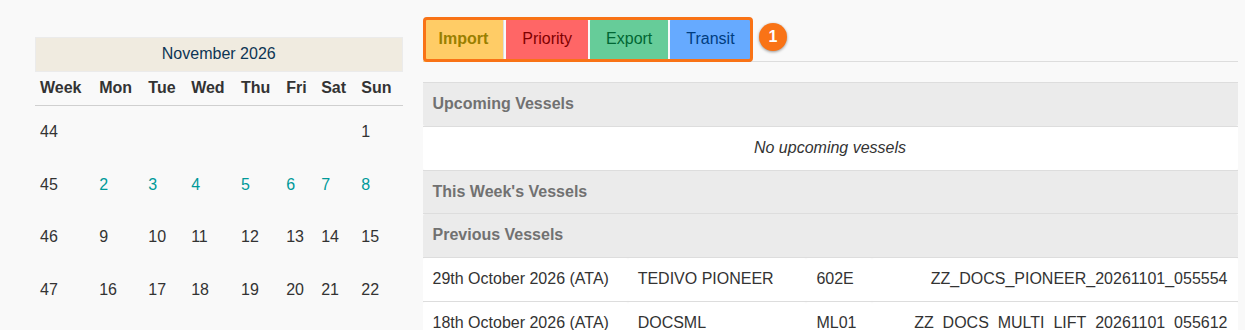
- The lists of vessels on the Home page can show a tab for each tag, so you can filter your files by tag (1 in the picture). To use it, choose Group by Tag Name as the Grouping Method of your facility. (How to use File Tags)
- Organization administrators can create, edit and delete the facilities of their organization in BAPLIE Viewer Online. (How to Manage Organization Facilities)
- An organization can get one invoice for all its facilities, or one invoice for each facility. To change the billing model of your organization, contact support. (How to Manage Organization Billing)
- You can copy a file to another facility of the same organization, with or without its tags. (How to Copy Files Between Facilities)
- Organization administrators can manage the approved e-mail domains of all the facilities of the organization in one place. (How to Manage Organization Domains)
- Organization administrators can invite users to several facilities of the organization at once, also from a CSV file. (How to Invite Users to Organization Facilities)
- BAPLIE Viewer Online remembers the facility that you used last. When you sign in and choose a facility, that facility is already selected in the list.
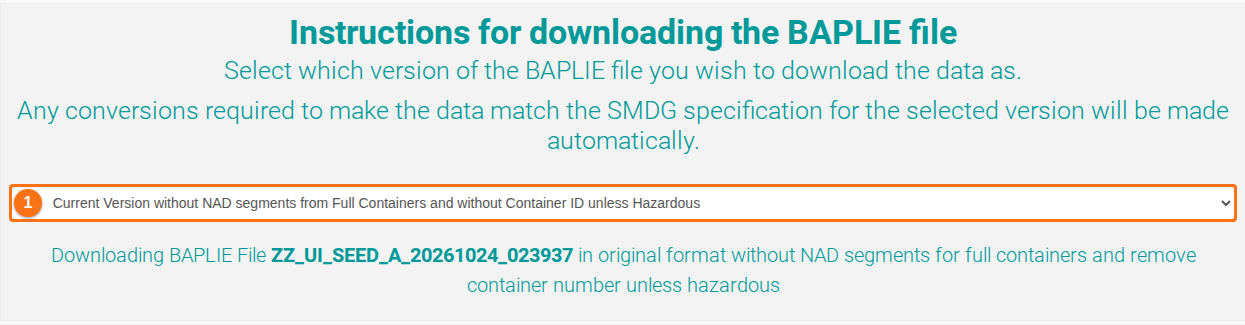
- Download BAPLIE has a new option: Current Version without NAD segments from Full Containers and without Container ID unless Hazardous (1 in the picture). The file leaves out the NAD lines of full containers and the container numbers, except the numbers of hazardous containers. (How to Download a BAPLIE Without Container Numbers (Except Hazardous))
- Import Excel no longer refuses a spreadsheet that has simple conditional formatting rules, such as the highlighting of duplicate or unique values.
- Fixed a billing problem that could process the same invoice twice.
- Manage Facility: for a facility whose membership is billed through its organization, a renewal invoice that is still a draft no longer counts as unpaid.
- When you had to change your password (for example because it was too old), the page could keep reloading in a loop. This is fixed.
- In the 2D view, Remove properties from selected now removes the data that you tick from the selected containers: temperature, container number, hazardous data or OOG (out-of-gauge) dimensions. (How to edit one or more containers in 2D View)

