

What is an Open Vessel Definition (OVD), and how do I link one?
An Open Vessel Definition (OVD) is a vessel drawing that you make in TEDIVO Vessel Designer (TVD). It describes the slots of a vessel. When you link an OVD to your BAPLIE file, BAPLIE Viewer Online uses it for the vessel size, for the stowage error checks, for the Hatch Covers drawing in the Deck view and for the slots that need cones.
You do not need an OVD. Without one, the Side and Deck views work, and the application makes a definition from the container positions.
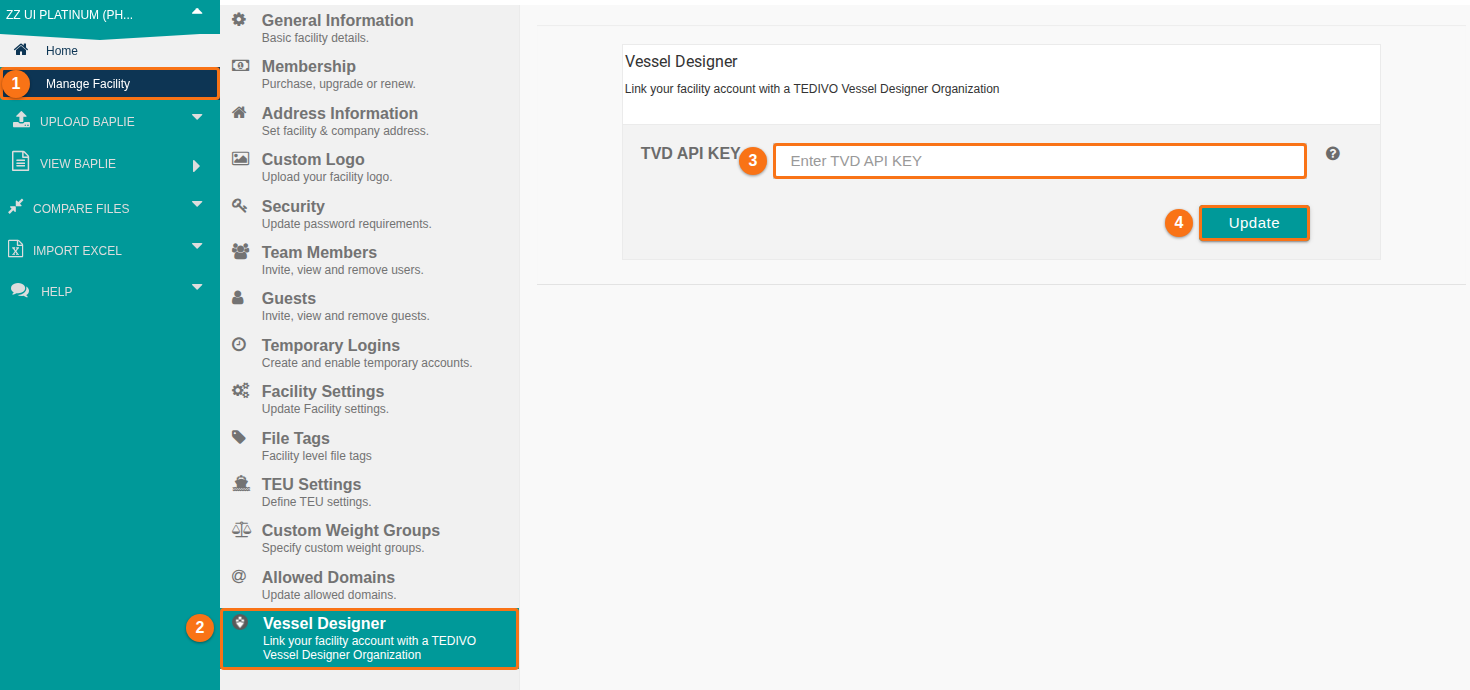
Before you start: you need a TVD API key. It needs a Platinum membership. An administrator of your facility saves the key in Manage Facility, on the Vessel Designer tab.
Link an OVD
Section titled “Link an OVD”- In the Function Menu on the left, open Visualization and click 2D Bay View.
- Check that Mode in the top bar is View.
- In the bar View, open the Dimensions list. Click Change Vessel Dimensions & OVDs. The Vessel Dimensions window opens.
- In the list Use an Open Vessel Definition (OVD), choose your definition. To see only the files that match your vessel name or call sign, tick Show only your TVD files that match this BAPLIE (by vessel name or call sign).
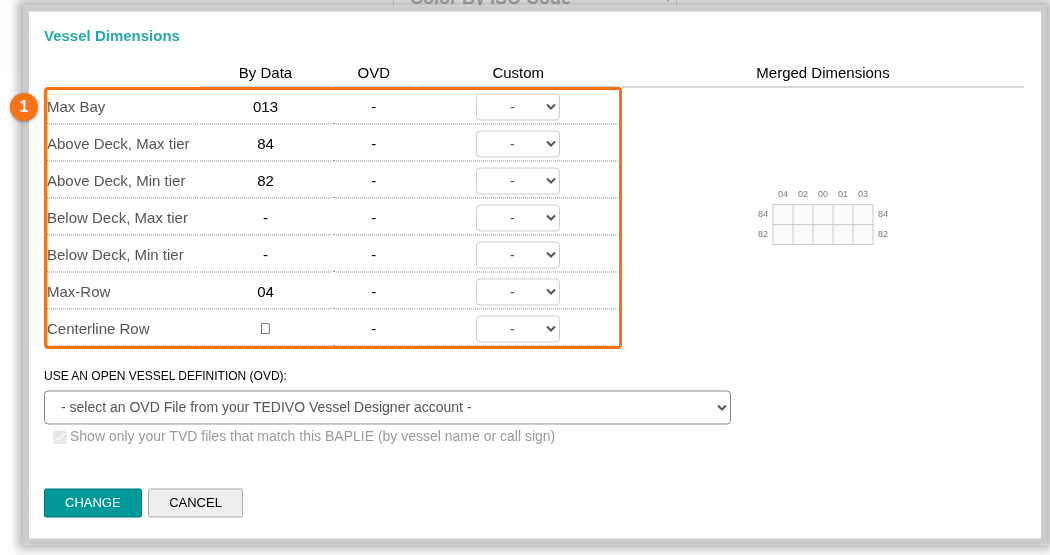
- Click CHANGE.
To remove the link, choose no definition in the list and click CHANGE.
Good to know
Section titled “Good to know”- The link is saved for the vessel name, not for one file. It applies to all your files with the same vessel name.
- If no OVD is linked and you have a TVD API key, a window opens by itself. Click Select a file from your TVD account or Don’t use OVD file.
- To create a definition from your BAPLIE data, use Create/Update Vessel Definition from BAPLIE data in the same Dimensions list.
For more details, see How to change the vessel dimensions and How to link your facility to TEDIVO Vessel Designer.